Tales of the Tempest

Tales of the Tempest

4.8

Game Info

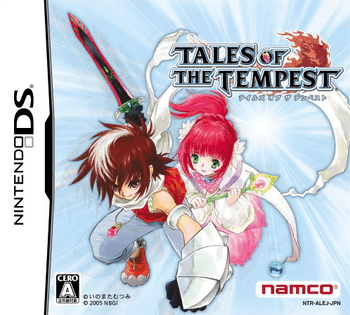
Tales of the Tempest follows Caius Qualls as he travels through a fantasy realm and fights against the oppressive Church of God, featuring combat built around a 3D-plane real-time battle system.

Emulatornds
Release Year2006
DeveloperDimps
SeriesTales of

ROM

Choose language

English简体中文日本語

Controls

How to play "Tales of the Tempest"

Players move the protagonist across the field using the D-Pad, initiate attacks with the A button, and trigger special artes using a combination of inputs.

Controls

D-Pad
Move character
A Button
Attack / Confirm
B Button
Cancel / Guard
X Button
Menu
Y Button
Special Artes
LR Buttons
Switch target

Controls

A / B
ZX
X / Y
AS
L / R
QE
L2 / R2
RW
START
↩ Enter
SELECT
↑ Shift
DPAD
Arcade Insert Coin
V
Quick Save Game State
1
Quick Load Game State
2

About

About "Tales of the Tempest"

Tales of the Tempest centers on Caius Qualls, a young man who can transform into a Lycan. He sets out on a quest to rescue his father and defend his village from the inquisitors of the Church of God.

Its battle system takes place on a limited 3D plane, giving characters freedom of movement as they fight enemies in real time. Players direct a party of five different characters, each with their own artes and transformation abilities that can be triggered in combat.

Exploration has players crossing varied world map areas and working through dungeons to move the story forward. The game also makes use of the touchscreen for menu navigation and for certain combat inputs during heated battles.

As the series’ first release for the Nintendo DS, Tales of the Tempest is an early attempt at portable RPG design, but it is often remembered for its simplified dungeon design and its shorter narrative structure when compared with console entries.
Embed Code

Embed this retro game

Embed this retro game on your site so visitors can play it right on the page.

<iframe src="https://classicgamebase.com/embed/games/tales-of-the-tempest" width="960" height="720" loading="lazy" allowfullscreen></iframe>

Tip:Copy the code above into your HTML and the game will render directly on the page across modern browsers and mobile devices.

Games

You may also like